


Overview
The GWN7604 is a compact AX3000 Wi-Fi access point tailored for small businesses, hotels, and home offices. It features four Gigabit Ethernet ports, including one uplink port with PoE/PoE+ for powering the device, and two PSE ports that supply both PoE and network connectivity to other devices. With 2.4GHz 2×2:2 and 5GHz 3×3:2 MU-MIMO technology and an advanced antenna design, it supports up to 256 concurrent clients and provides coverage of up to 100 meters.
The GWN7604 is easily managed via Grandstream’s GDMS Networking (cloud-based) or GWN Manager (on-premise), ensuring flexible network control. Additional features include advanced QoS, support for low-latency applications, mesh networking, captive portals, 3Gbps wireless throughput, and four Gigabit network ports, making it an ideal solution for small-to-medium deployments that require versatility and performance.
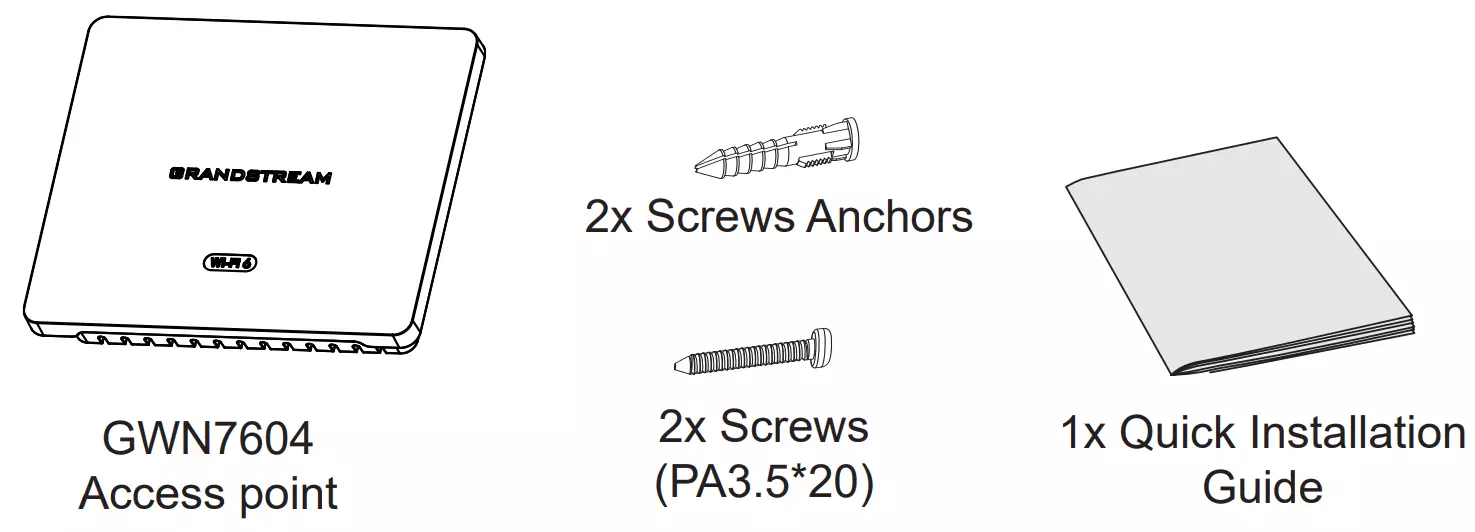
Package Contents
GWN7604 Ports
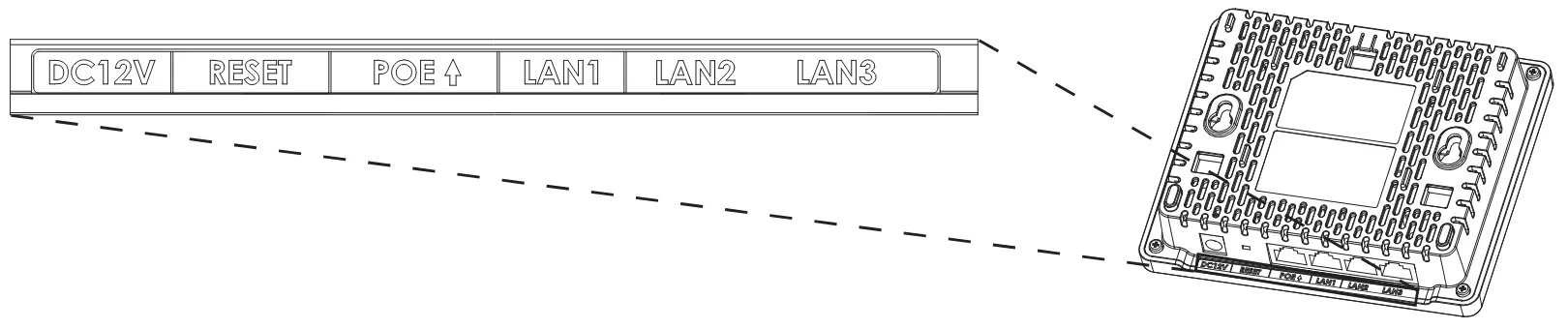
Port | Description |
 | Power adapter connector (DC 12V,2A). |
 | Factory reset pinhole. |
 | Ethernet RJ45 port (10/100/1000Mbps) supporting PoE/PoE+. |
 | 1x 10/100/1000Mbps Ethernet port. |
 | 2x 10/100/1000Mbps Ethernet port with PSE. |
GWN7604 Ports
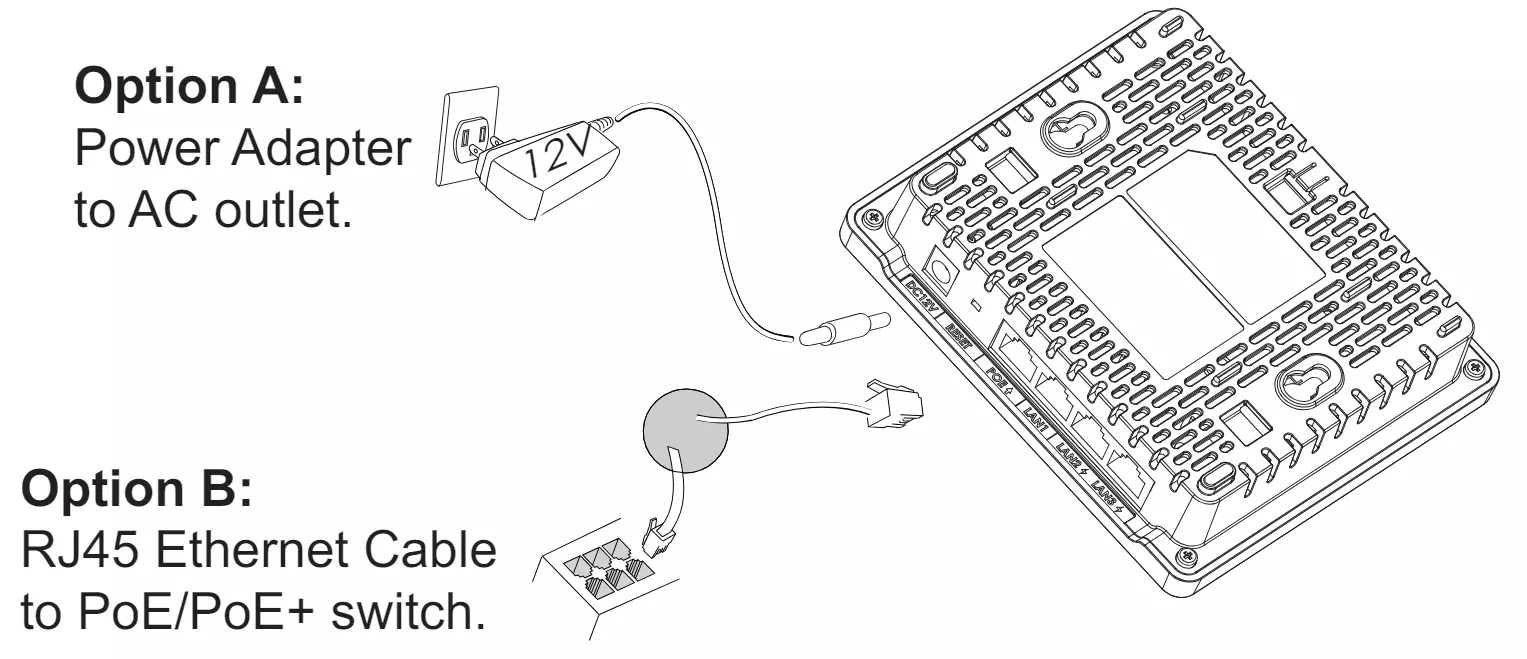
Powering and Connecting the GWN7604
The GWN7604 can be powered either using the right PSU (DC12V,2A) (not provided) or using a PoE/PoE+ switch:
Hardware Installation
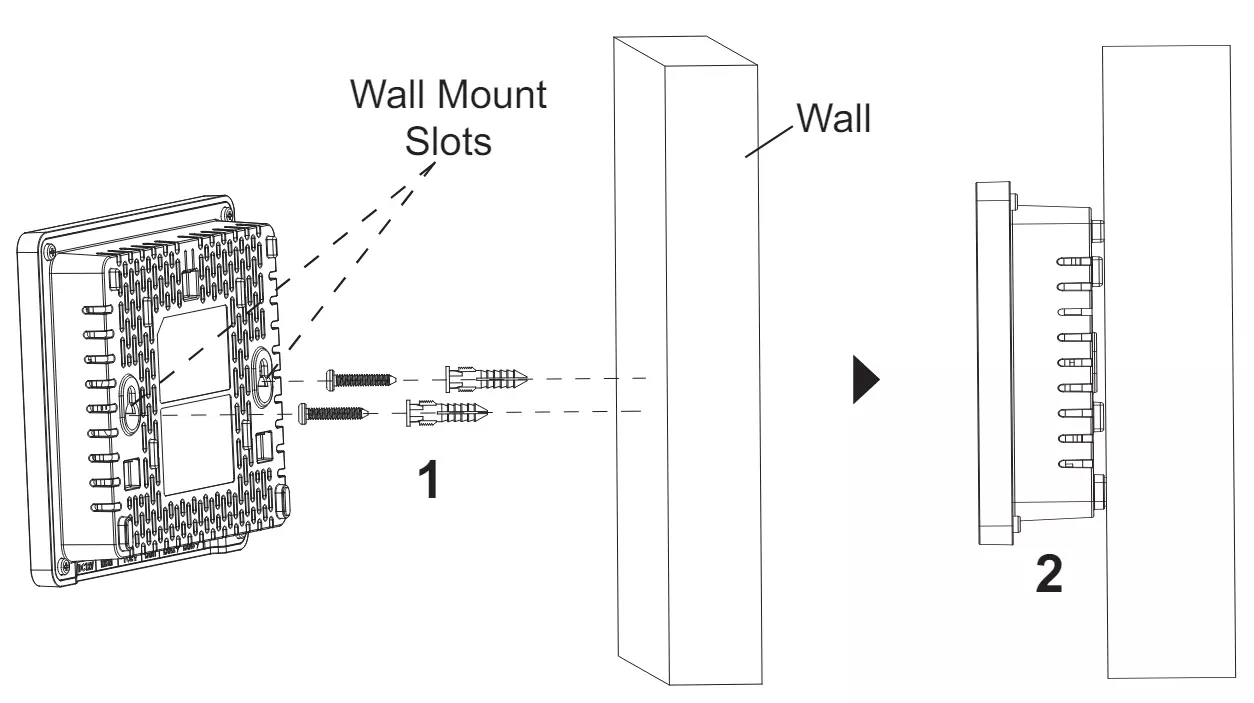
GWN7604 can be mounted on the wall or ceiling, Please refer to the following steps for the appropriate installation.
Wall Mount
- Use a measuring tape to measure the distance between the two wall mount slots on the back of the GWN7604 access point and use a pencil to mark the mounting screw holes on the wall.
- Use a drill to make a hole at each marked point. Place the anchors and screws on each hole. Leave enough space between the wall and the screw head, then mount the GWN7604 on the screws using the wall mounting slots.
CONNECT TO GWN7604 DEFAULT Wi-Fi NETWORK
GWN7604 can be used as a standalone access point out of the box, or after a factory reset with Wi-Fi enabled by default.
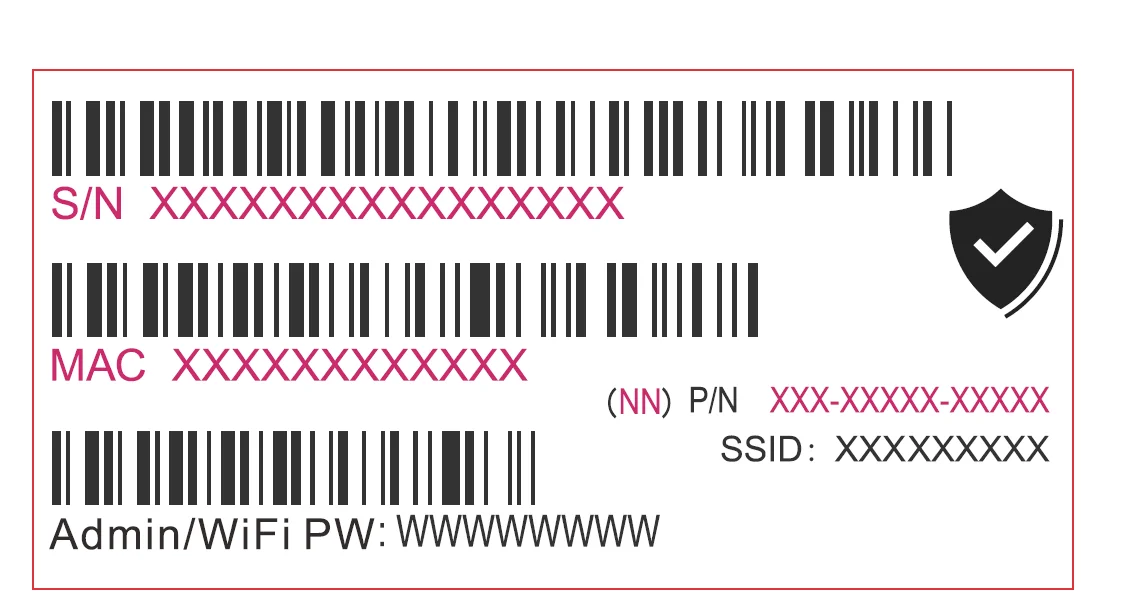
After powering the GWN7604 and connecting it to the network, GWN7604 will broadcast a default SSID based on its MAC address GWN[MAC’s last 6 digits], and a random password.
ACCESSING THE CONFIGURATION INTERFACE
A computer connected to the GWN7604’s SSID, or to the same network as the GWN7604 can discover and access its configuration interface using one of the below methods:
Method 1: Discover GWN7604 using its MAC Address
- Locate the MAC address on the MAC tag of the unit, which is on the underside of the device, or on the package.
- From a computer connected to the same network as the GWN7604, type in the following address using GWN7604’s MAC address on your browser: https://gwn_<mac>.local
Example: If a GWN7604 has the MAC address EC:74:D7:8C:4D:F8, this unit can be accessed by typing https://gwn_ec74d78b4e28.local on the browser.
Method 2: Discover GWN7604 using GWN Discovery Tool
- Download and install GWN Discovery Tool from the following link:
https://www.grandstream.com/tools/GWNDiscoveryTool.zip - Open the GWN DiscoveryTool, and click on Scan.
- The tool will discover all GWN76XX Access Points connected on the network showing their MAC and IP addresses.
- Click on Manage Device to be redirected directly to the GWN7604’s configuration interface, or type in manually the displayed IP address on your browser.
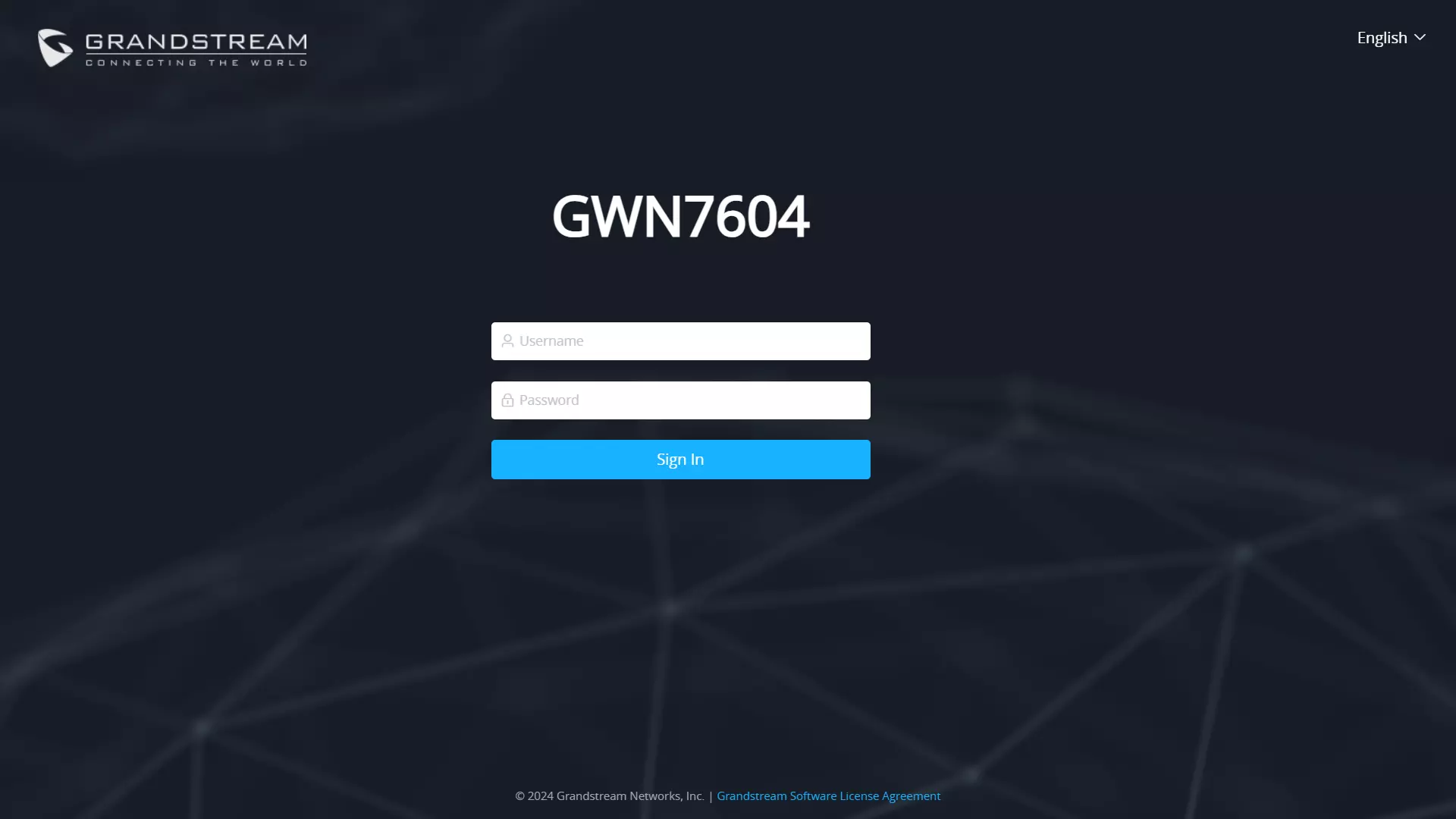
Enter username and password to log in. (The default administrator username is “admin” and the default random password can be found on the sticker on the GWN7604).
Refer to online documents and FAQ for more detailed information:
https://www.grandstream.com/our-products

For Certification, Warranty, and RMA information, please visit www.grandstream.com