GAC2570 – Quick Installation Guide

  • Updated on April 18, 2025 PDF Download

INTRODUCTION

The GAC2570 is a full-duplex conferencing device featuring high-quality voice communication for meeting rooms, huddle areas, boardrooms, and other conferencing spaces. The device features an exceptional speaker with MMAD (Multichannel Microphone Array Design) to deliver a natural and immersive conferencing experience to both local and remote participants. This wireless design is composed by a wireless extension microphone, modern Wi-Fi and Bluetooth support and built-in battery. It features a 7” 1280×800 IPS touch screen LCD with conferencing support for up to 12 attendees. The GAC2570 enables any ongoing conference to remain uninterrupted in case of occasional conference room change. This device supports 5m pick up range and can be connected with two GMD1208 desktop wireless microphones up to 20m away to enhance audio quality and provide full room coverage. Additionally, its modern industrial design and rich features make it a customizable conferencing solution for small to medium sized conference rooms and other day-to-day business conferencing spaces

PACKAGE CONTENTS
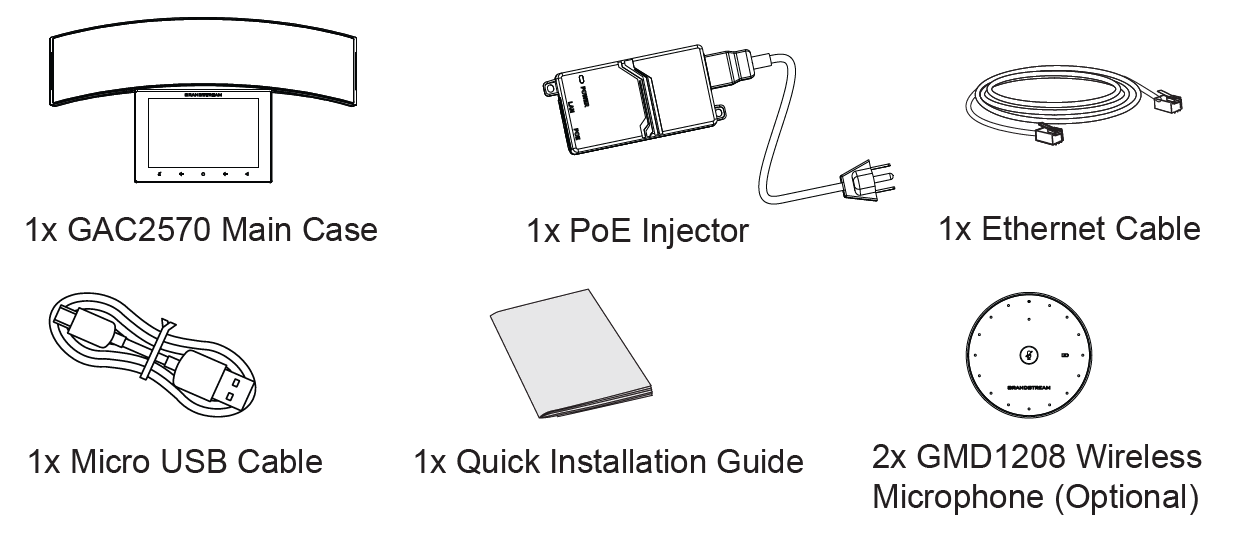
Precautions:

  • Please DO NOT power cycle the GAC2570 during system boot-up or firmware upgrade. You may corrupt firmware images and cause the unit to malfunction. Use only the PoE injector included in the GAC2570 package. Using an alternative non-qualified power adapter may possibly damage the unit.

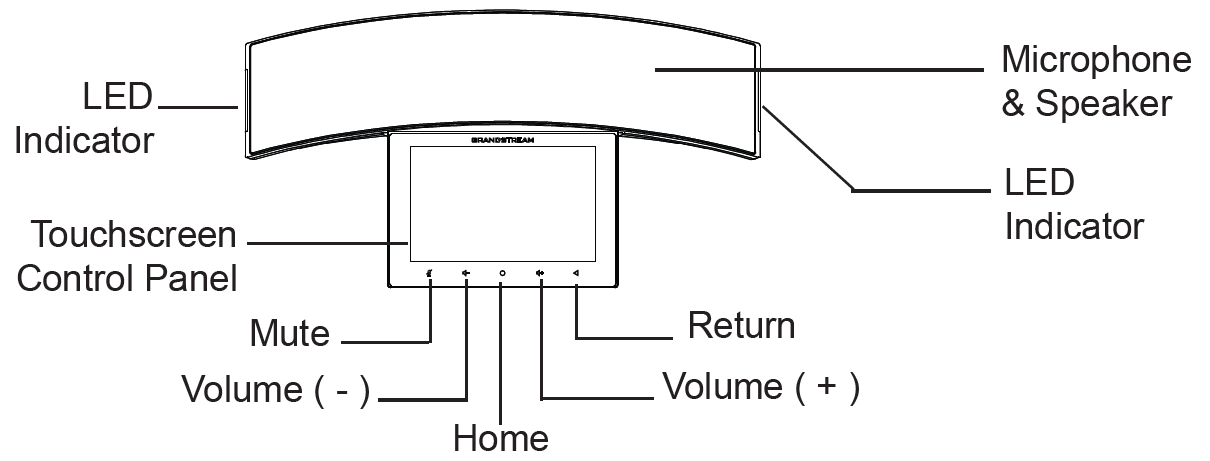
GAC2570 DESCRIPTION

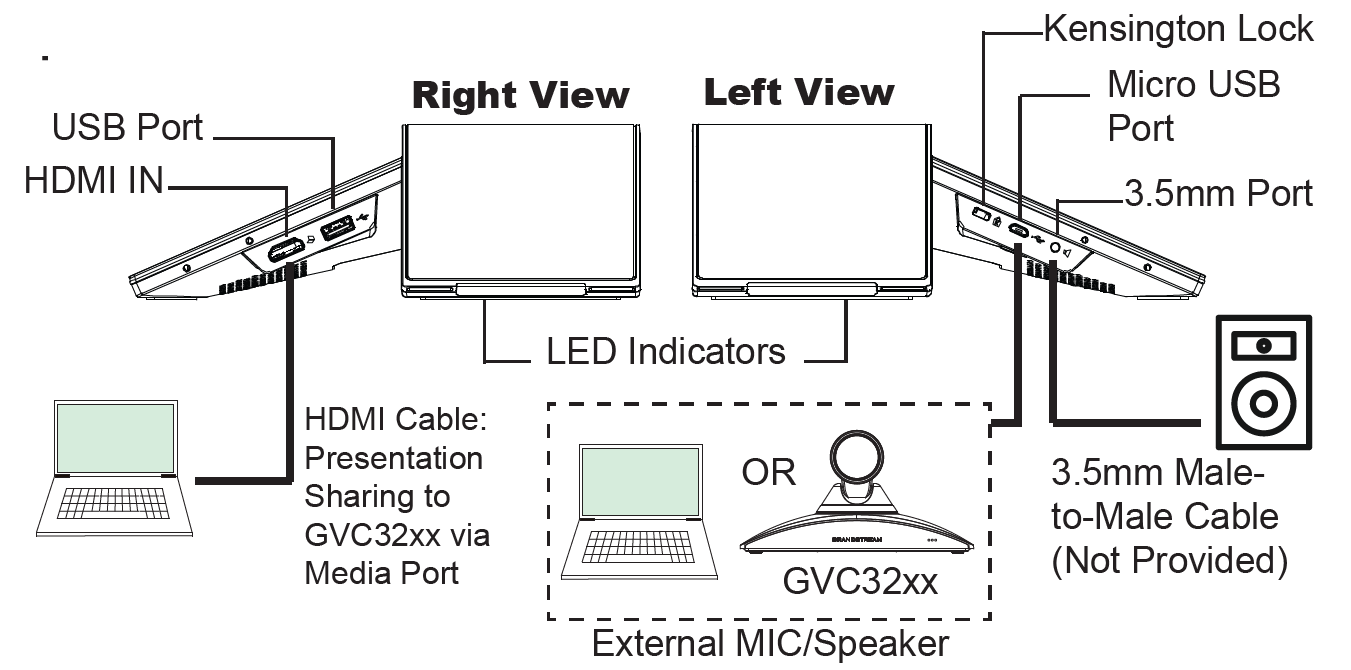
GAC2570 CONNECTION
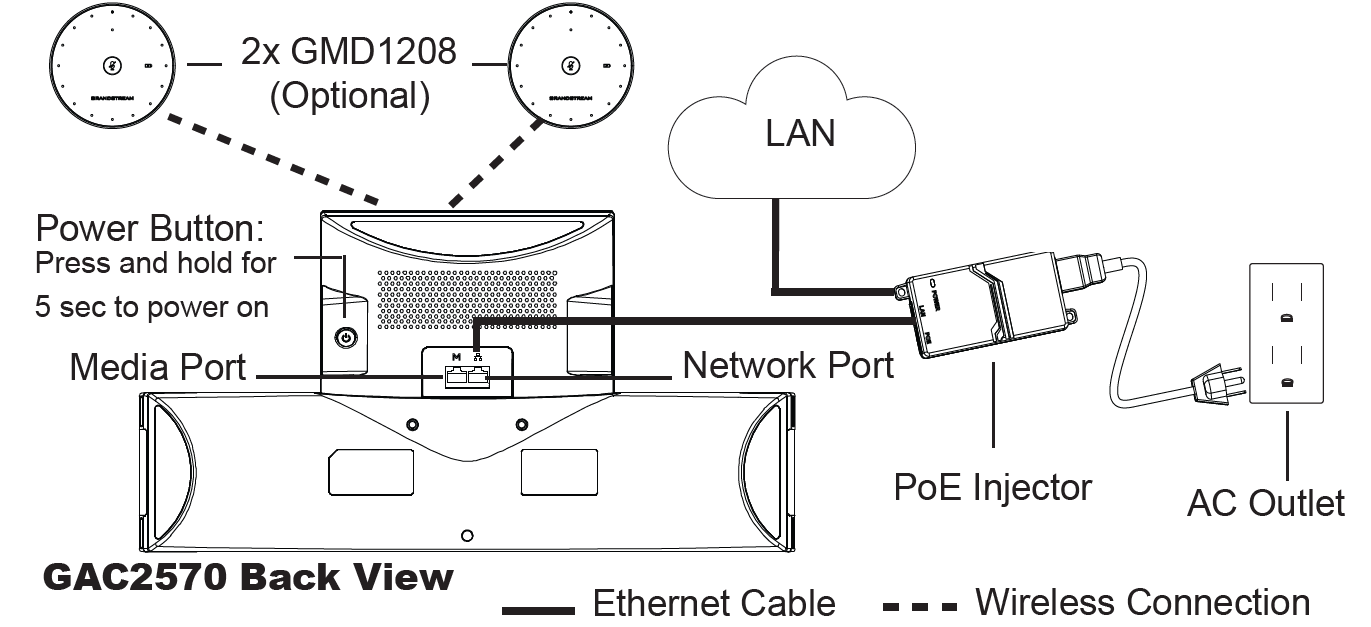
Notes:

  • GAC2570 supports Wi-Fi connectivity.
  • GAC2570 can be powered via a built-in battery (without a PoE injector).
  • GAC2570 requires PoE+ to be powered up.

Optional Connections

GAC2570 USAGE MODES

Audio Conference System Mode
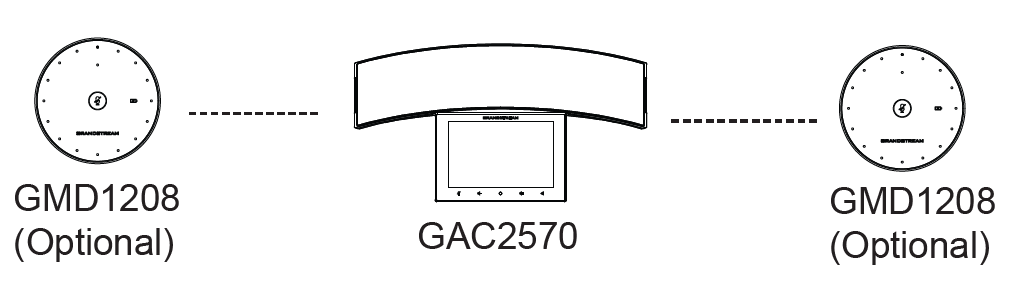
External MIC/Speaker
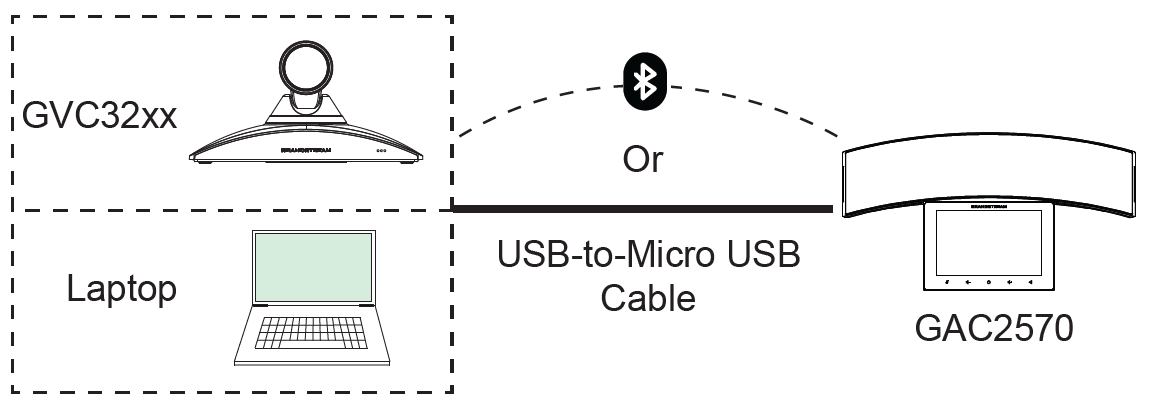
Note:

Refer to online documentation for more details regarding the GAC2570 usage modes, GMD1208 or GVC32xx. www.grandstream.com

GAC2570 CONFIGURATION

Via Web Browser

  1. From the main menu, slide to the “Settings” screen.
  2. Access “Settings” app ►Status ► Network status ► IPv4 address”.
  3. Type in the IP address in your PC browser.
  4. Enter username and password to log in. (The default administrator username is “admin” and the default random password can be found at the sticker on the GAC2570).
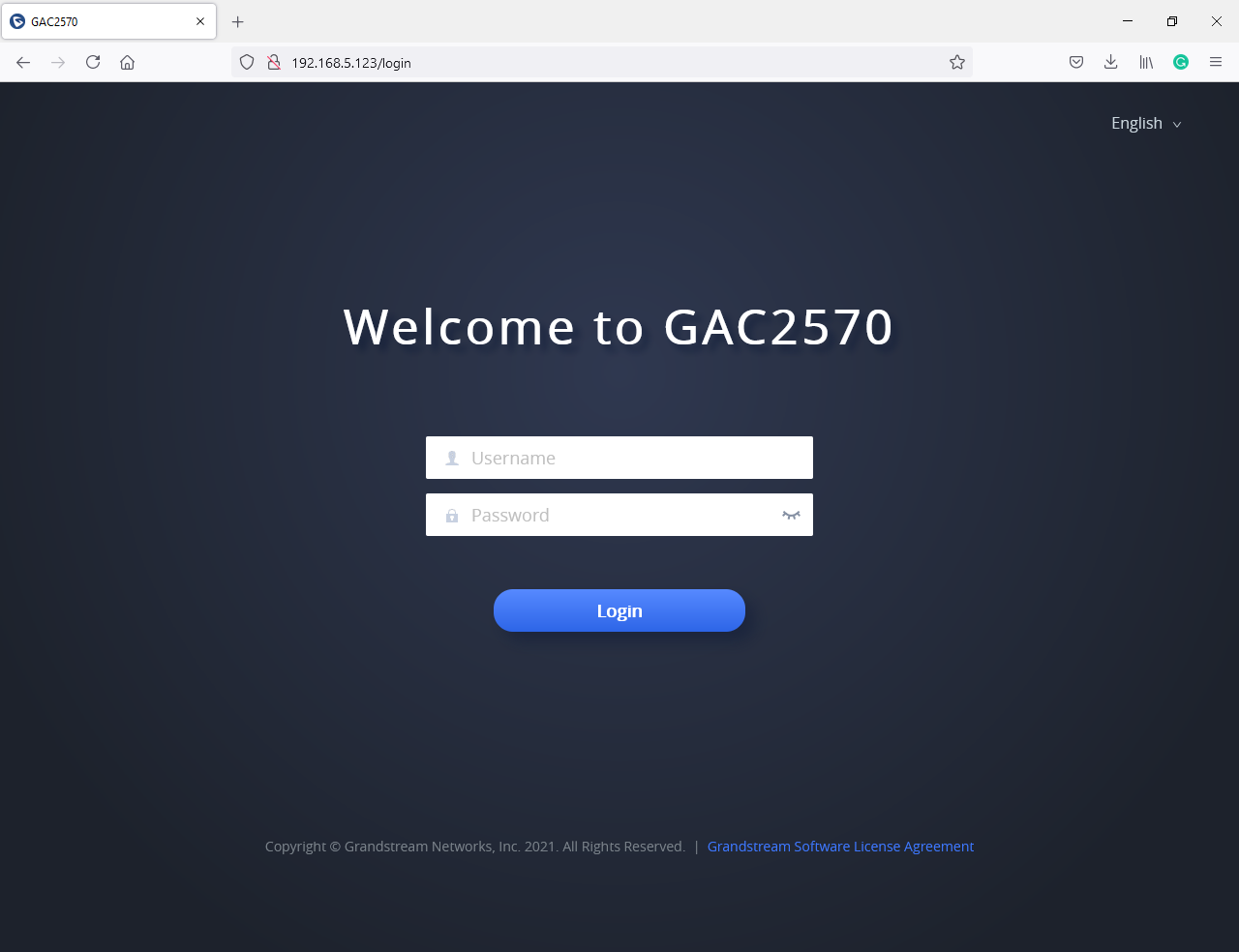
Note:

The computer must be in the same LAN as the GAC2570.

Via Touch Screen

  1. On the main menu, click “Click to add accounts” to configure SIP account.
  2. Access “Settings App” for advanced configuration.

Refer to online documents and FAQ for more detailed information:
http://www.grandstream.com/our-products

The GAC2570 is not pre-configured to support or carry emergency calls to any type of hospital, law enforcement agency, medical care unit (“Emergency Service(s)”) or any other kind of Emergency Service. You must make additional arrangements to access Emergency Services. It is Your responsibility to purchase SIP-compliant Internet telephone service, properly configure the GAC2570 to use that service, and periodically test Your configuration to confirm that it works as You expect. If You don’t do so, it is Your responsibility to purchase traditional wireless or landline telephone services to access Emergency Services.

GRANDSTREAM DOES NOT PROVIDE CONNECTIONS TO EMERGENCY SERVICES VIA THE GAC2570. NEITHER GRANDSTREAM NOR ITS OFFICERS, EMPLOYEES, OR AFFILIATES MAY BE HELD LIABLE FOR ANY CLAIM, DAMAGE, OR LOSS, AND YOU HEREBY WAIVE ANY AND ALL SUCH CLAIMS OR CAUSES OF ACTION ARISING FROM OR RELATING TO YOUR INABILITY TO USE THE GAC2570 TO CONTACT EMERGENCY SERVICES, AND YOUR FAILURE TO MAKE ADDITIONAL ARRANGEMENTS TO ACCESS EMERGENCY SERVICES IN ACCORDANCE WITH THE IMMEDIATELY PRECEDING PARAGRAPH.

The GNU GPL license terms are incorporated into the device firmware and can be accessed via the Web user interface of the device at http(s)://IP/gpl_license.

To obtain a CD with GPL source code information please submit a written request to info@grandstream.com

*Android is a Registered Trademark of Google LLC.
*Skype and Skype for Business are Registered Trademarks of Microsoft Corporation

HDMI, the HDMI Logo, and High-Definition Multimedia Interface are trademarks or registered trademarks of HDMI Licensing LLC in the United States and other countries.

For Certification, Warranty, and RMA information, please visit
www.grandstream.com

Was this article helpful?

Need Support?
Can’t find the answer you’re looking for? Don’t worry we’re here to help!
Contact Support

Leave a Comment